Have you ever copied a "verified" RedotPay Promo Code only to see "Discount: -0 USD" at the checkout? Today, I’ll show you exactly why this happens using my own real-app screenshots.
1. From Search to Application
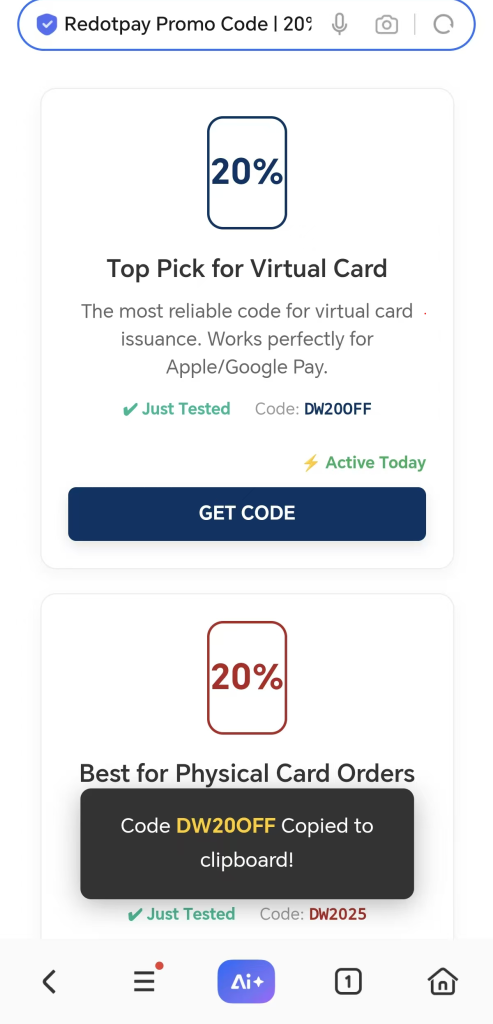
I copied the promo code DW20OFF from a promo listing site and entered it directly into the RedotPay app to test whether it worked.
2. The Reality Check: Why it Failed
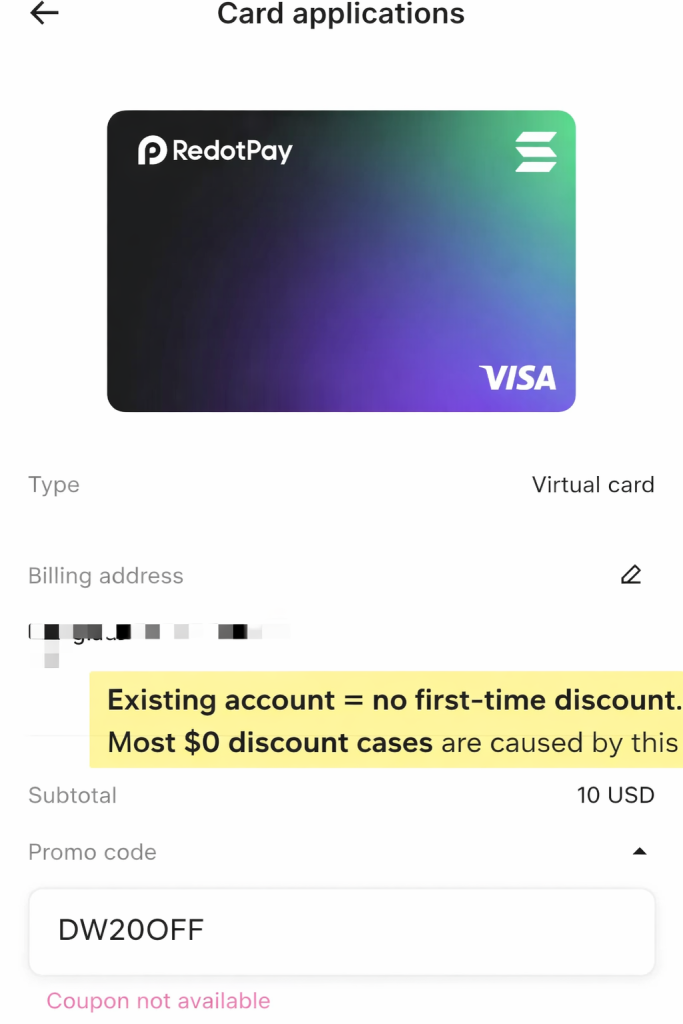
As you can see in my test, when I applied the code, the Discount line showed -0 USD and the total remained 10 USD.
The Analysis:
As an existing user (CardMaster_Momo), my account has already completed a card activation. RedotPay’s promo policy clearly states that card discounts are for first-time card issuance only (one-time use per account). Since I have previously activated a card, the system correctly identifies my status and does not apply the discount again.
3. How to Get the REAL Discount
If you are a NEW user, these codes are 100% active and working:
DW20OFF(For Virtual Cards)DW2025(For Physical Cards)
New to RedotPay? Follow my Complete 2026 Registration & KYC Guide to ensure you get your $5 welcome bonus successfully.
Final Note
From my own testing, most “invalid code” complaints simply come down to eligibility. RedotPay’s card discounts are designed for new users applying for their first card, and each account can only use the offer once.
Make sure you enter the promo code exactly as shown, and remember that the discount applies to the card issuance fee only. Before completing the payment, always take a quick look at the discount line to confirm the amount has changed.
If you’re a first-time applicant and follow the steps correctly, the 20% reduction should apply without any issue.
About the Author:
CardMaster_Momo is dedicated to live-testing global payment solutions. I manually validate every RedotPay promo code to ensure transparency and save you time.